
Un checklist de venta de entradas es fundamental para evitar errores técnicos costosos durante el lanzamiento, asegurando que cada componente del sistema funcione correctamente desde la configuración del dominio hasta la integración con Stripe. La diferencia entre organizadores profesionales y amateurs se nota en este momento crítico: los profesionales no improvisan el día del lanzamiento, sino que ejecutan un protocolo verificado paso a paso. Revisar todos los puntos técnicos, comerciales y operacionales antes de activar el enlace público te permite maximizar las conversiones desde el primer minuto y mantener la credibilidad de tu evento.
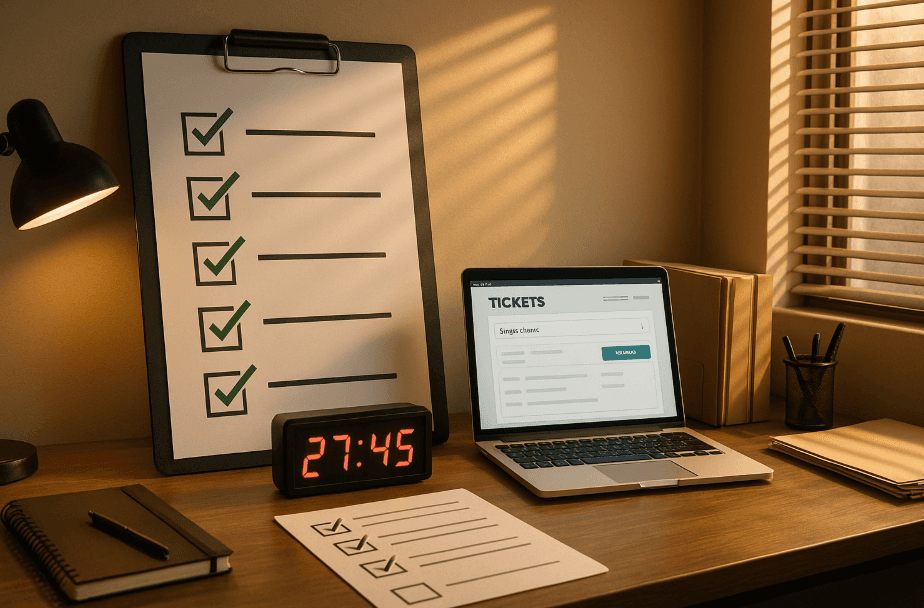
Launching ticket sales is one of the most critical moments in producing any event. An incorrect configuration, a failing checkout, or a broken link can cost you sales, credibility, and hours of urgent fixes. Having a task checklist is essential to ensure no detail is overlooked in ticket sales and guarantee the entire process is well organized. This technical checklist helps you review all essential points before opening online ticket sales, minimizing errors and maximizing conversion from the first minute.
What "ticket sales checklist" means and why it matters
A ticket sales checklist is a systematic list of technical, commercial, and operational verification that every organizer must complete before activating their event's public link. It's not just a simple visual review: it's a protocol that guarantees every component of the sales system works correctly, from custom domain configuration to Stripe integration.
In the competitive US events market, where the battle for audience attention is fierce and traffic spikes during launches can reach thousands of simultaneous users, a configuration error can mean:
Loss of initial momentum: If checkout fails in the first hours, viral effect dissipates
Cart abandonment due to technical friction: A confusing or slow purchase process kills conversion
Payment processing issues: If Stripe isn't properly configured, buyers don't receive confirmation
Inconsistent branding: Using generic domains instead of your custom domain weakens event identity
Lost or poorly captured data: Incorrect fields mean useless database
Therefore, the sales checklist is a key tool within event planning, allowing you to anticipate and avoid these critical errors at each phase of the process.
The difference between professional and amateur organizers shows precisely here: professionals don't improvise on launch day, they execute a verified checklist.
Search intent
When an organizer searches for "ticket sales checklist," they're at a specific moment in the production cycle: they already have the date, venue contracted, lineup or event content finalized, and now need to ensure the technical sales component works perfectly.
What they really need:
Actionable step list: Not theory, but concrete points they can verify one by one
Avoid costly mistakes: Learn from others' experiences to not repeat common problems
Optimize conversion from minute one: Ensure every visit has maximum probability of converting
Technical confidence: Know that when they share the link, everything will work
Implementation speed: No time for debugging, need to launch now
This article responds exactly to that intent: it's the technical checklist you can follow before launching ticket sales with your white-label ticketing platform, ensuring every component is ready.
Actionable checklist: what to review before launching ticket sales
Pre-launch technical verifications
These are the non-negotiable technical points that determine if your online ticket sales system works correctly. Additionally, it's essential to have reliable technology to guarantee the ticket sales system functions without issues.
✅ Custom domain configuration
Verify custom domain is active: If selling from tickets.yourevent.com, test the link in incognito browser to confirm it resolves correctly
SSL certificate working: Green security lock must appear; without HTTPS, modern browsers alert users and kill trust
Correct redirects: If you have multiple URLs (with www, without www), all should lead to the same canonical version
Loading speed: Site must load in under 2 seconds on mobile; any delay increases abandonment
Why it matters: Selling from custom domain instead of generic subdomains reinforces event identity and generates trust. A user seeing yourevent.com/tickets trusts more than one seeing generic-platform.com/event/12345. Additionally, configuration problems may arise if domain isn't verified in advance.
✅ Stripe integration
Account correctly linked: Verify in the panel that your Stripe account is connected and active
Execute test purchase: Run a real transaction with minimum amount to confirm complete flow works
Verify payment processing: Confirm test payment is processed in your Stripe account
Ensure all options display (credit card, ACH, Apple Pay, installments)
Why it matters: Direct Stripe integration to organizer is fundamental for liquidity. If integration fails, you lose critical sales in the first launch hours.
✅ Mobile-first optimized checkout
Test on real devices: Verify complete flow on iPhone and Android, not just simulators
Forms with autocomplete: Fields must allow browser autocomplete to accelerate purchase
Large touch buttons: On mobile, action buttons must be easy to touch without zooming
Maximum 3-step process: More steps mean more abandonment; ideal is: select ticket → data → pay
Test checkout on different devices and at various times: Ensure it works correctly regardless of time, to avoid unexpected problems during sales.
Why it matters: Over 70% of ticket purchases in the US happen from smartphones. A checkout that doesn't work perfectly on mobile kills your conversion.
✅ Automatic QR system
Verify QR generation: Make a test purchase and confirm QR arrives automatically via email
Test scanning with validation app: Scan test QR to verify system recognizes it
Check offline functionality: Put phone in airplane mode and verify validation app still works
Why it matters: On event day, QR system is your only access control tool. If it fails, you create lines, conflicts, and poor experience. Additionally, QR system guarantees only authorized attendees enter the event, ensuring effective access control.
Commercial and conversion verifications
These points determine if your commercial configuration maximizes ticket sales or leaves money on the table. Additionally, it's essential to include well-planned marketing actions to boost ticket sales and reach event objectives.
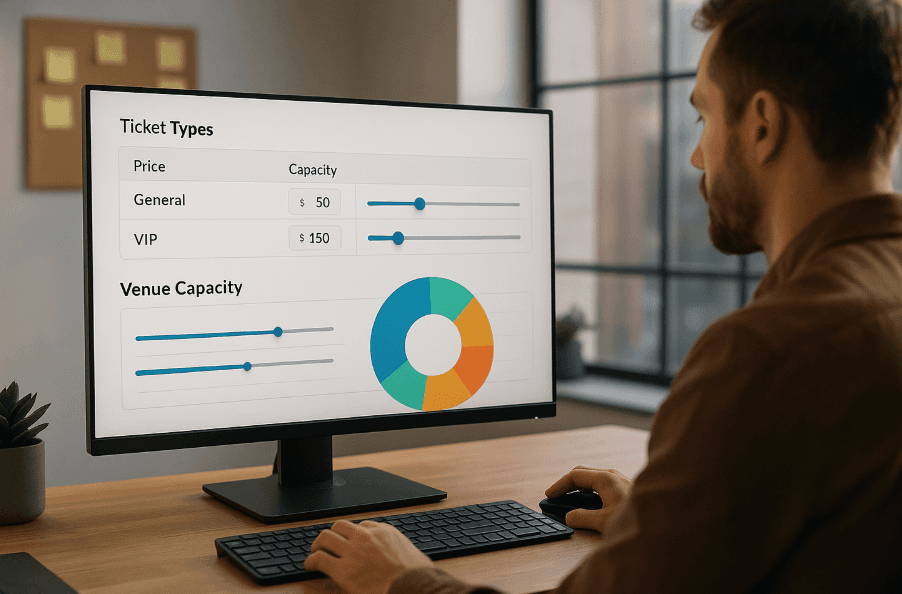
✅ Pricing and capacity configuration
Verify prices by ticket type: Confirm each section/category has correct price
Check maximum capacities: Ensure not to sell more tickets than venue allows
Review early bird prices if applicable: If offering early purchase discount, verify cutoff date
Test discount codes: If you created promotional codes, test they work correctly
Before launching sales, it's essential to review all pricing and capacity aspects to avoid errors and ensure event success.
✅ Branding and visual design
Optimized cover image: Must look good on desktop and mobile, maximum 200KB for fast loading
Consistent color palette: Your white-label ticketing platform should reflect event visual identity
Error-free texts: Check spelling in title, description, terms and conditions
Clear call-to-action: Buy button must be visible, contrasting, and say "Buy Tickets" (not confusing phrases)
Why it matters: Complete event branding generates trust and differentiates your production from amateur events. Every visual detail adds to professionalism perception. Therefore, every visual detail counts to create a memorable experience.
✅ Email marketing and automatic remarketing
Email sequences configured: Confirm confirmation, reminder, and post-event emails are active
Remarketing pixels installed: If using Facebook/Instagram Ads, verify pixels are capturing visits
AI cart recovery active: Ensure automatic remarketing system with AI is functioning
To maximize your checklist reach, complement email marketing with social media campaigns on Facebook, Instagram, and LinkedIn to promote the event and increase participation.
Why it matters: Automatic AI remarketing can recover 10-20% of sales lost from abandoned carts, without manual effort.
Event day operational verifications
Although the event may be weeks away, it's important to configure these points from the start. If possible, it's also recommended to prepare backup devices or alternative connections to avoid event day issues.
✅ Validation team prepared
Validation app installed: Download and test mobile app on devices that will validate tickets on event day
Multiple configured devices: If expecting high volume, prepare 2-3 phones validating simultaneously
Internet and offline plan B: Although app works offline, have connectivity backup plan
✅ Real-time panel monitored
Dashboard access confirmed: Verify you can see real-time metrics from any device
Alerts configured: Activate notifications for important milestones (50% sold, 90% sold, sold out)
Team access: Ensure relevant people have permissions to view reports
Why it matters: Real-time dashboard allows informed decisions during sales: adjust campaigns, extend capacity, activate promotions. Additionally, you're more likely to make accurate decisions when having real-time metrics.
Communication and distribution verifications
The best technical configuration is useless if the link doesn't reach the audience correctly. Sharing the sales link on social media is fundamental to maximize reach and ensure more people know about your event.
✅ Correct sales link
Copy exact URL: Note the final URL you'll share (tickets.yourevent.com or corresponding)
Test link incognito: Verify it works without being logged in, simulating new user. It's essential to check the link and what happens if there's an error: you could lose sales or confuse attendees.
Shorten if necessary: If link is long, use shortener (bit.ly) for social media
✅ Distribution materials ready
Scheduled social media posts: Have content ready to publish exactly when sales open
Database email: If you have previous list, prepare launch email with direct link
Stories with direct link: On Instagram, ensure you have active link in bio or Stories if you have 10K+ followers
Include new product information: If the event involves launching a new product, make sure to highlight it in all promotional materials to generate interest.
✅ Clear launch message
Explicit opening date and time: "Sales open TODAY at 6:00 PM" is better than "coming soon"
Direct call-to-action: "Buy your ticket here" with visible link
Essential information above fold: Price, event date, venue — without scrolling
Why it matters: A clear and direct launch message helps capture attention and guides users toward purchase. Since a clear message avoids confusion and improves conversion, it's essential that primary information is visible and easy to understand.
Event logistics: ensuring venue experience
Event logistics is one of the pillars for everything to function smoothly on event day. Good logistics planning is essential for major festivals like Coachella, SXSW, and Lollapalooza, where thousands of attendees must be managed efficiently. A comprehensive logistics strategy should include crowd flow management, vendor coordination, security protocols, and contingency plans for weather or technical issues. The logistics checklist should also cover stage setup timelines, artist arrival schedules, and backstage access protocols to ensure seamless event execution from start to finish.
¿Qué es un checklist de venta de tickets y por qué es importante para mi evento?
Un checklist de venta de tickets es una lista sistemática de verificaciones técnicas, comerciales y operativas que todo organizador debe completar antes de activar el enlace público de su evento. No es solo una revisión visual simple: es un protocolo que garantiza que cada componente del sistema de ventas funcione correctamente, desde la configuración de dominio personalizado hasta la integración con Stripe. Es importante porque un error de configuración puede significar pérdida del impulso inicial, abandono de carritos por fricción técnica, problemas de procesamiento de pagos, branding inconsistente y datos mal capturados o perdidos.
¿Qué verificaciones técnicas debo hacer antes de lanzar la venta de entradas?
Las verificaciones técnicas pre-lanzamiento incluyen: configuración del dominio personalizado (verificar que esté activo, que el certificado SSL funcione, que las redirecciones sean correctas y que la velocidad de carga sea menor a 2 segundos en móvil); integración con Stripe (cuenta correctamente vinculada, ejecutar compra de prueba, verificar procesamiento de pagos); checkout optimizado para móvil (probar en dispositivos reales, formularios con autocompletado, botones grandes al tacto, máximo 3 pasos en el proceso); y sistema automático de QR (verificar generación de QR, probar escaneo con app de validación, verificar funcionalidad offline).
¿Cómo configuro correctamente los precios y la capacidad de mi evento?
Para configurar correctamente precios y capacidad debes: verificar precios por tipo de entrada (confirmar que cada sección/categoría tenga el precio correcto); revisar capacidades máximas (asegurar no vender más entradas de las que permite el venue); revisar precios early bird si corresponde (si ofrecés descuento por compra anticipada, verificar fecha de corte); y probar códigos de descuento (si creaste códigos promocionales, probar que funcionen correctamente). Antes de lanzar las ventas, es esencial revisar todos los aspectos de precios y capacidad para evitar errores y asegurar el éxito del evento.
¿Qué elementos de branding y marketing debo verificar en mi plataforma de tickets?
Los elementos de branding y marketing a verificar incluyen: imagen de portada optimizada (debe verse bien en desktop y móvil, máximo 200KB para carga rápida); paleta de colores consistente (tu plataforma de ticketing white-label debe reflejar la identidad visual del evento); textos sin errores (revisar ortografía en título, descripción, términos y condiciones); call-to-action claro (botón de compra debe ser visible, contrastante y decir 'Comprar Entradas'); secuencias de email configuradas (confirmar que emails de confirmación, recordatorio y post-evento estén activos); pixels de remarketing instalados; y sistema de recuperación de carritos con IA activo.
¿Cómo me preparo para el día del evento en términos de validación de entradas?
Para prepararte para el día del evento debes: tener el equipo de validación preparado (app de validación instalada y probada en los dispositivos que validarán entradas, múltiples dispositivos configurados si esperás alto volumen, plan B de internet y offline aunque la app funcione sin conexión); panel en tiempo real monitoreado (acceso al dashboard confirmado para ver métricas en tiempo real desde cualquier dispositivo, alertas configuradas para hitos importantes como 50% vendido, 90% vendido, sold out, y acceso del equipo asegurado para que las personas relevantes tengan permisos para ver reportes). El dashboard en tiempo real te permite tomar decisiones informadas durante las ventas.
¿Qué debo verificar antes de compartir el enlace de venta de entradas?
Antes de compartir el enlace debes verificar: enlace de ventas correcto (copiar la URL exacta que vas a compartir, probar el enlace en modo incógnito para verificar que funcione sin estar logueado, acortar si es necesario usando bit.ly para redes sociales); materiales de distribución listos (posts de redes sociales programados para publicar exactamente cuando abran las ventas, email para base de datos con enlace directo, stories con enlace directo en Instagram); y mensaje de lanzamiento claro (fecha y hora de apertura explícita como 'Ventas abren HOY a las 18:00', call-to-action directo como 'Comprá tu entrada acá' con enlace visible, información esencial sin hacer scroll como precio, fecha del evento y venue).
Tags